Your calendar already knows when you're free. This puts it on the clipboard in one click so you can paste it into an email and move on.
Real Example
This is what gets copied. Paste it into an email, a Slack message, whatever. Looks like you typed it. Because you decided to send it.
iCloud, Google, Outlook, Exchange - pick which ones count as busy and it finds your gaps.
Clean, abbreviated times like "9-10:30am, 2-3pm", never the robotic output you'd expect from a tool.
Option+click to preview, pick the recipient's timezone, and they read their own local time.
No accounts, no network, no analytics - sandboxed with zero internet access, so it can't phone home.
Shortcuts and Spotlight can pull your availability as text or structured slots, no menu bar needed.
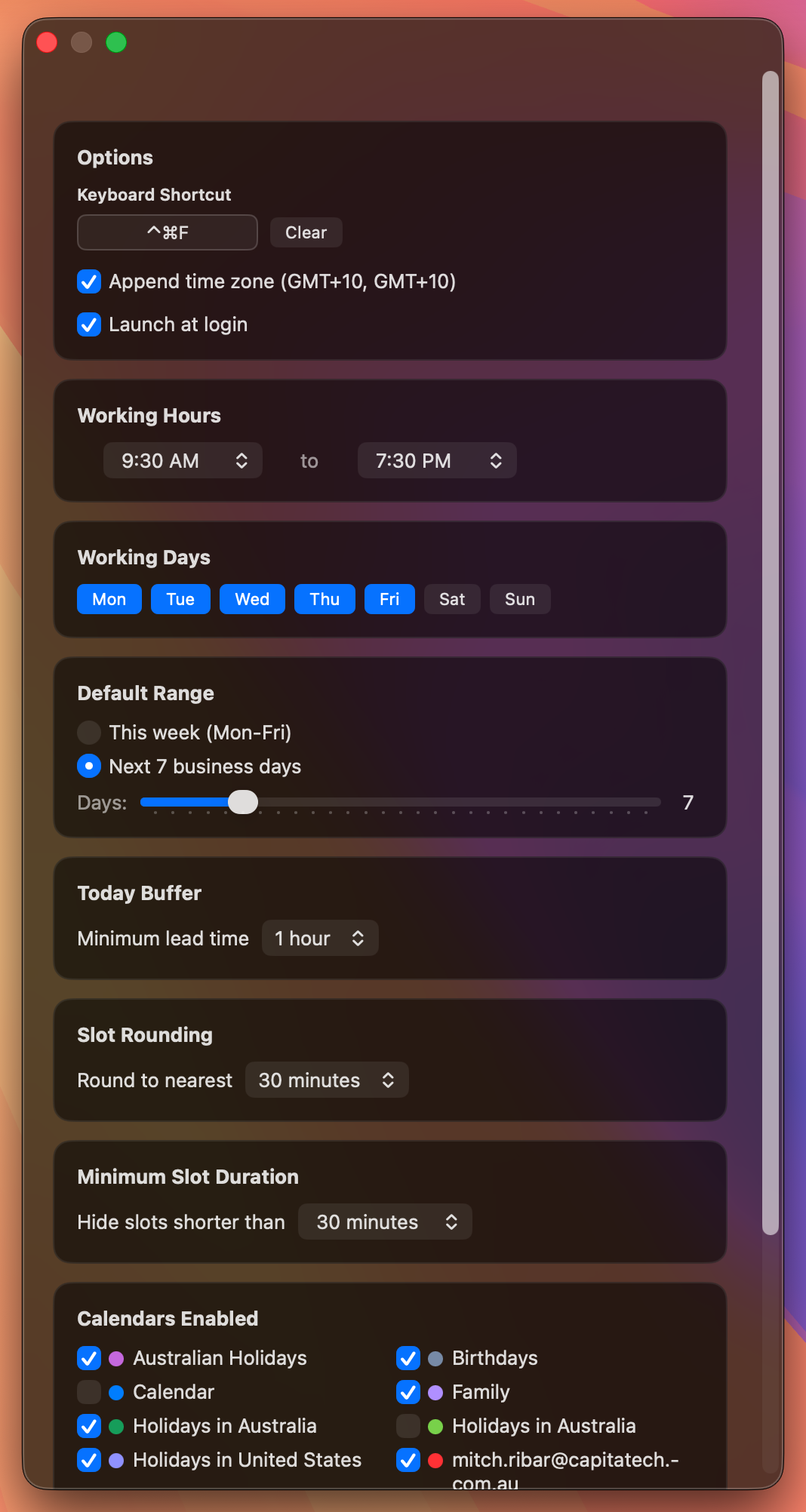
Working hours, working days, default range, and which calendars count - all in one panel.
Replaces the five minutes you spend typing it out by hand.
Left-click the menu bar icon or hit Ctrl+Shift+C from wherever you are. Availability is on the clipboard.
Cmd+V into the email, Slack message, or chat you were already writing. Reads like you typed it out.
No links for them to click. No accounts for them to create. They reply with the time that works and you're both moving on.
Or right-click and Copy 3 Suggested Times. Instead of the whole grid, you send three well-spread options - "reply with a number" - and let them pick.